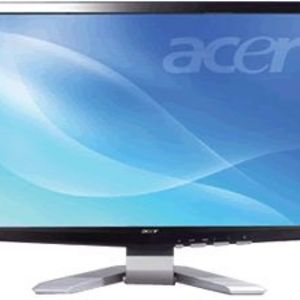
Contrary to one reviewer, there is a small manual plus a CD with the usual stuff, including some nice setups to tailor it for photos, text or video. Someone may have taken that reviewer's.
There is tilt and it must be by friction, because you just grab each side of the screen and tilt it about +-15 degrees.
Not quite as eyepopping as my big Panasonic plasma, but very, very nice--including the Walmart price. Lacking the CD, I think you can use the button on the bottom right to set it up without the software.
I never thought I would like a wide screen monitor, but for the price this Acer is great. Didn't know what I was missing. My old monitor was a small 15 inch screen. This Acer P201W is a whopping 20 inch wide screen. Great picture and very easy to set up.
Every day computer user, cost-conscious, computer literate, Practical, I believe in honesty
DEC
21
2008
When the monitor on my nearly five year old HP computer died yesterday, I was faced with finding a reasonably priced replacement that would fit in my limited space in a hurry. With wide-screen monitors being the norm, this would be a tall order and I was also worried about compatibility.
I found this Acer P201W at Walmart for just a couple of hundred bucks and I'm completely satisfied with it. It's a little wider than is optimal for my space, but I do like the wide-screen a lot and It has some very useful setting features, so that with just the press of a button you can optimize the settings...review »
Right now I have two 20" Acer P201w's on my computer, and I plan on buying a third, once I purchase a second video card. I bought my first Acer because it was the best quality monitor I had found at the most affordable price. I create websites for a living, and even the 20" screen at 1680x1050 wasn't enough desktop space at times, and I loved my flat panel Acer, so I purchased another. I've been getting into PC gaming, and I see a lot of triple monitor setups that look incredible, so I will soon buy a third P201w. These monitors are great quality, and they look stylish, too.
I deal with mostly Dell's in the workplace but when looking to replace my home FPD I found this Acer. After checking all the specs it seem to be up to par with some more expensive models in the same size range.
Overall the monitor performs extremely well, crisp, sharp clear picture. So far no hiccups at all. The software provided with it is basically useless, if you have a decent display adapter you'll do fine managing it with the adapter's utility.
Impressed with DVD playback quality, really no negatives for the price. My one only wish is that they made it mountable.
This monitor leans precipitously forward and there is NO WAY to tilt it. Currently there is NO manual included with the product NOR is their one available online from Acer.com. I have the monitor legs being held up in front by tuna cans so I can SEE the screen! I don't recommend this product unless you are 3 feet tall and need to actually have the monitor screen tilt downward toward you!